0 ratings





Item #:
17717911
New Screen Replacement for Acer Aspire 3 A315-21-95KF 15.6 Non-Touch HD WXGA 1366 x 768 Slim LCD LED Display with Tool
Item #:
17717911
IDR 1143112
Price Details
Excluding Shipping & Custom charges ( Shipping and custom charges will be calculated on checkout )
*All items will import from US
0 ratings
Write a review
In stock
 Imported from USA store
QTY:
Order now and get it around Wednesday, June 24
Secured transaction
Ubuy works hard to protect your security and privacy. Our advanced payment security system ensures confidentiality by encrypting your information during transmission using AES (Advanced Encryption Standards) and SSL (Secure Socket Layer) protocols. Your payment details are 100% secure as we do not share your payment details with third party sellers.
Our Top Logistics Partners


BrightFocal provides 100% compatible new item and your satisfaction is guaranteed.

Fast
Shipping

Free
Return*

Secure Packaging

100% Original Products

PCI DSS Compliance

ISO 27001 Certified


Note: Step Down Voltage Transformer required for using electronics products of US store (110-120). Recommended power converters Buy Now.


What Stands Out
High Definition Display
Experience crisp visuals with the 1366 x 768 HD resolution, enhancing your viewing pleasure for movies, games, and everyday tasks, ensuring vibrant colors and sharp text for an optimal user experience.
Compatible Design
Tailored for Acer Aspire 3 A315-21-95KF, this screen replacement guarantees a perfect fit, making installation straightforward while restoring your laptop’s functionality without the hassle of compatibility issues.
Included Installation Tools
Each purchase comes with essential tools for easy installation, empowering users to perform repairs independently and save on costly service fees, adding significant value to your laptop maintenance efforts.
Product Details
- Compatible Model: BRIGHTFOCAL New Screen Replacement for Acer Aspire 3 A315-21-95KF 15.6 Non-Touch HD WXGA 1366 x 768 Slim LCD LED Display with Tool
- Important: You must match the RESOLUTION, SCREEN SIZE, CONNECTOR and TOUCH/NON-TOUCH to your current screen. You cannot deviate from your current specifications. Purchasing a screen with different specifications will not work with your system. If you are unsure what your current screen specification is, please contact us before purchase and we will gladly help. BrightFocal provides 100% compatible new item and your satisfaction is guaranteed.
- Package includes Brand NEW LCD screen only, no extra control board, bezel, back cover etc. Please keep your original parts. Please confirm with us if you are unsure which parts fit your machine.
- 15.6 HD 30 Pin
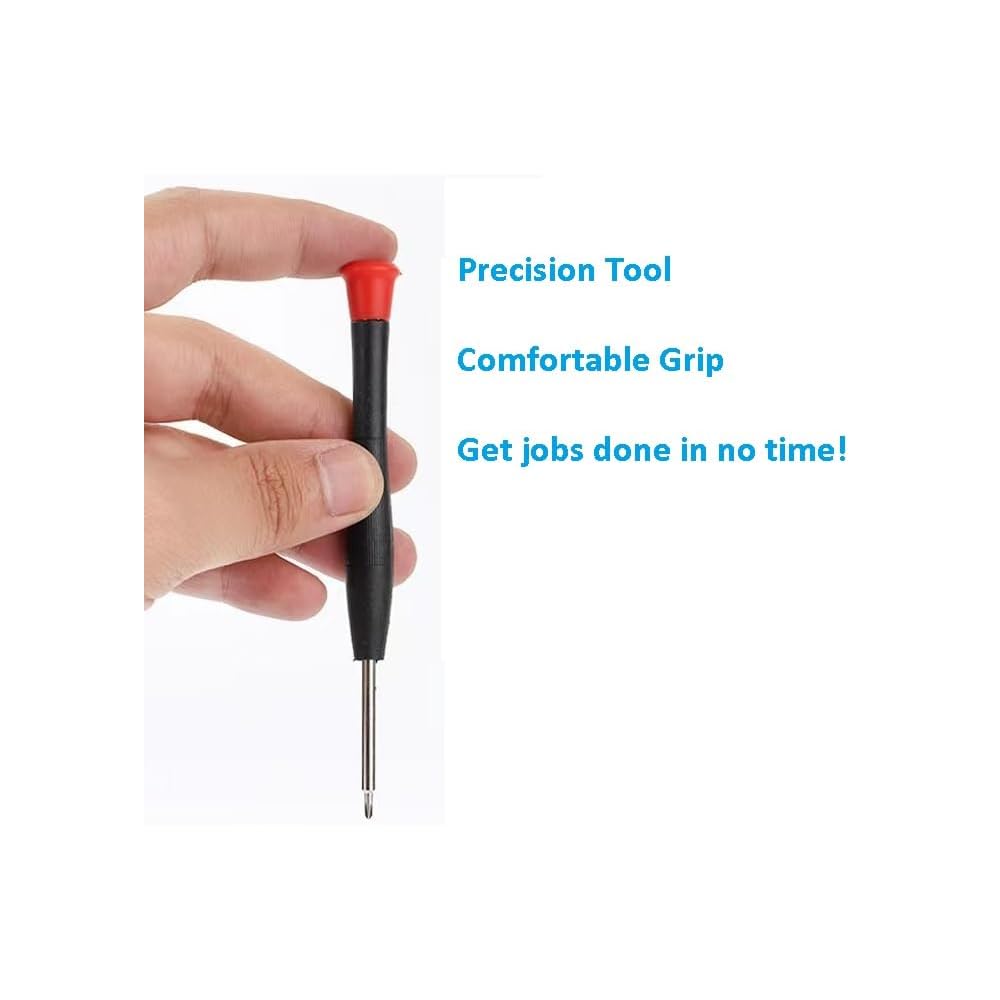
- Comes with Toolkit for Installation
| Item Weight | 12.8 ounces (362.88 grams) |
| Manufacturer | BRIGHTFOCAL |
| Date First Available | February 14, 2019 |
Who Should Buy?

-
DIY Laptop Repair
Ideal for users wanting to save costs by replacing their laptop screen independently with provided tools.
-
Budget-Conscious Shoppers
Great choice for those looking for an affordable screen replacement without compromising basic display quality.
-
Students and Casual Users
Suitable for students or casual users needing a functional display for basic tasks like browsing and document editing.

-
High-End Graphics Users
Not suitable for users requiring high-resolution displays for gaming or professional graphic design.
-
Touchscreen Needs
Incompatible for users needing touchscreen capabilities as this model is non-touch.
-
Professional Video Editing
Not ideal for video professionals who demand higher resolution and color accuracy beyond 1366 x 768.
Product Description
Have any Query? Chat with us
Customer Questions & Answers
-
Question:
What are the specifications of the BRIGHTFOCAL screen replacement for Acer Aspire 3 A315-21-95KF?
Answer: The BRIGHTFOCAL screen replacement features a 15.6-inch Non-Touch HD WXGA display with a resolution of 1366 x 768 pixels. This slim LCD LED display offers vibrant colors and clear images, enhancing your viewing experience for both work and entertainment. The slim design also ensures that it fits perfectly into your Acer Aspire 3 without unnecessary bulk, making it an ideal choice for users seeking a lightweight upgrade. -
Question:
Is the BRIGHTFOCAL screen compatible with other Acer Aspire models?
Answer: The BRIGHTFOCAL screen replacement is specifically designed for the Acer Aspire 3 A315-21-95KF model. While other Acer laptops may have similar specifications, using a screen that isn’t designed for your exact model can lead to compatibility issues. For optimal performance and fit, it is recommended to use this replacement screen with the specified model. -
Question:
What tools are included with the BRIGHTFOCAL screen replacement?
Answer: The BRIGHTFOCAL screen replacement comes with essential tools needed for installation, which typically include a screwdriver and other necessary instruments to help you safely replace your damaged screen. These tools are user-friendly, making it possible for those with minimal technical experience to perform the replacement without professional help, adding convenience to your repair process. -
Question:
How do I install the BRIGHTFOCAL screen replacement?
Answer: Installing the BRIGHTFOCAL screen replacement involves removing the damaged screen and carefully placing the new display into the laptop. Start by disconnecting the device from power, removing the battery if possible, and unscrewing any panels to access the screen assembly. Follow the included instructions closely for the best results. If you're not comfortable doing it yourself, consider watching tutorial videos for step-by-step guidance or seek professional assistance to avoid any complications. -
Question:
Can I use the BRIGHTFOCAL screen for gaming?
Answer: Yes, the BRIGHTFOCAL screen replacement can be used for gaming, given its HD WXGA resolution of 1366 x 768 pixels. Although it's not as high-resolution as some gaming monitors, it provides a decent viewing experience for casual gaming. Gamers looking for vibrant colors and reliable performance for games that don't require ultra-high resolutions will find this screen suitable. -
Question:
Is the BRIGHTFOCAL screen suitable for professional photo editing?
Answer: While the BRIGHTFOCAL screen replacement does offer good color reproduction and clarity with its Non-Touch HD WXGA display, it may not meet the requirements for professional photo editing. Photographers and graphic designers often prefer higher resolution displays with better color accuracy. For casual photo editing and viewing, this screen should suffice; however, professionals might consider higher-end displays. -
Question:
What should I do if my screen replacement doesn’t work immediately?
Answer: If your BRIGHTFOCAL screen replacement doesn't work right away, first ensure that all connections are secure and that the display is properly installed. Confirm that the cable connections and screws are tightened. If issues persist, it could be due to a faulty display or installation error. Consider reaching out to technical support for troubleshooting or checking installation guides to see if there are any steps you might have missed. -
Question:
What are the advantages of using the BRIGHTFOCAL screen over a generic replacement?
Answer: The BRIGHTFOCAL screen is engineered specifically for the Acer Aspire 3 A315-21-95KF, ensuring a perfect fit and compatibility that generic replacements may not offer. Its quality controls and assurances often result in better image clarity, longevity, and overall performance compared to unbranded options. Utilizing a model-specific display minimizes the risk of installation issues and may enhance the overall user experience. -
Question:
What should I check before purchasing the BRIGHTFOCAL screen replacement?
Answer: Before purchasing the BRIGHTFOCAL screen replacement, verify the model of your Acer Aspire laptop to ensure compatibility with the A315-21-95KF. Check the specifications to confirm that the screen's dimensions and resolution fit your requirements. Additionally, read user reviews and installation guides to understand what to expect during the replacement process. This can help you make an informed decision and support a smooth installation. -
Question:
Where can I buy the BRIGHTFOCAL New Screen Replacement?
Answer: You can purchase the BRIGHTFOCAL New Screen Replacement for Acer Aspire 3 A315-21-95KF from Ubuy in Indonesia. Ubuy offers a smooth shopping experience with various payment options, making it easy to acquire this specific replacement screen designed to enhance the functionality of your laptop.
BRIGHTFOCAL Replacement Screens Editorial Review
The BRIGHTFOCAL New Screen Replacement for Acer Aspire 3 A315-21-95KF is a great replacement screen for this laptop model. It is easy to install and comes at a great price. Customers have had positive experiences with this product, praising its performance and the excellent customer service provided by the vendor. However, it is important to ensure that the correct laptop model is selected when ordering to avoid any compatibility issues.
Customer Reviews & Ratings
17 customers ratings
-
5 Star
82%
-
4 Star
0%
-
3 Star
0%
-
2 Star
10%
-
1 Star
8%
Review this product
Share your thoughts with other customers
Pros
- Easy to install
- Great price
- Perfect fit for Acer Aspire 3 A315-21-95KF
Cons
- Ensure correct laptop model when ordering
Product Price History
Important information
- Limitations : For products shipped internationally, please note that any manufacturer warranty may not be valid; manufacturer service options may not be available; product manuals, instructions, and safety warnings may not be in destination country languages; the products (and accompanying materials) may not be designed in accordance with destination country standards, specifications, and labeling requirements; and the products may not conform to destination country voltage and other electrical standards (requiring use of an adapter or converter if appropriate). The recipient is responsible for assuring that the product can be lawfully imported to the destination country. When ordering from Ubuy or its affiliates, the recipient is the importer of record and must comply with all laws and regulations of the destination country.
- Not all the products listed on Ubuy are for sale, as Ubuy is a global search engine. Products are subject to export/trade regulations.
IDR 1143112
Order now and get it around Wednesday, June 24
This item is not restrict in my country.(Please click on above link if this item is not restrict in your country, So our team will review and allow.)
QTY:
Secured transaction
Ubuy works hard to protect your security and privacy. Our advanced payment security system ensures confidentiality by encrypting your information during transmission using AES (Advanced Encryption Standards) and SSL (Secure Socket Layer) protocols. Your payment details are 100% secure as we do not share your payment details with third party sellers.
Our Top Logistics Partners
Fastest cross-border delivery
Features & Benefits
- Compatible screen replacement for Acer Aspire 3 A315-21-95KF
- Must match resolution, backlight, and screen size to current screen
- 100% compatible new item
- Satisfaction is guaranteed
- Package includes brand new LCD screen only
- Contact seller for assistance with machine compatibility